Installation
Plain is currently distributed as Plain 1.1.7 for macOS. The app is ad-hoc signed and not notarized.
Download
Section titled “Download”Download the latest build from GitHub Releases.
Use the .dmg for the easiest install, or the .zip if you prefer the raw .app bundle.
Each release includes SHA256SUMS.txt so you can verify downloaded artifacts:
shasum -a 256 -c SHA256SUMS.txtmacOS Security Warning
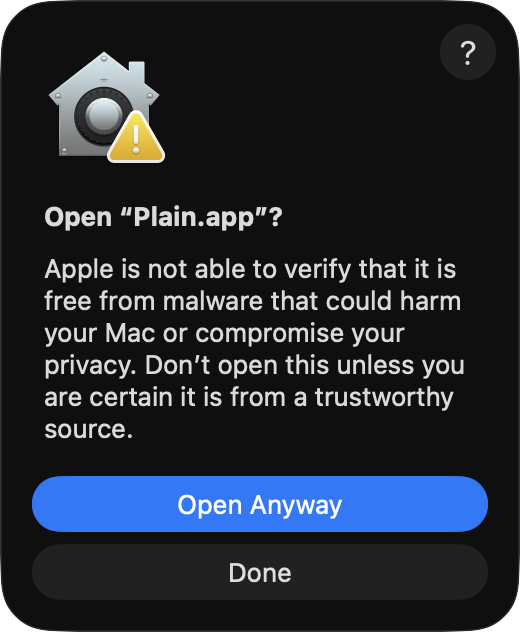
Section titled “macOS Security Warning”Plain is ad-hoc signed and not notarized. macOS may warn when opening a downloaded build.
If macOS blocks the app, choose Open Anyway in the warning dialog. You can also open System Settings > Privacy & Security, find the Plain warning near the bottom, and allow it there.
The app does not require an Apple Developer Program membership to build locally or distribute unsigned builds.
Run from Source
Section titled “Run from Source”From the repository root:
make runor directly:
swift run PlainBuild and Test
Section titled “Build and Test”Run the Swift tests:
make testRun Swift tests plus claim-policy tests:
make test-allPackage Locally
Section titled “Package Locally”Build the app, ZIP, and DMG:
make packageFor a faster local packaging smoke build:
make package-fastFor packaging with claim tests enabled:
make package-claimsPackaged builds include App Sandbox and network-client entitlements.